The best air purifier for a home office next to a printer combines appropriately sized particle filtration, some activated carbon, low operating noise, and safe placement. Here is how to choose one without relying on vague room-size claims.
A good air purifier for a home office next to a printer should use a genuine particle filter, preferably a HEPA filter, plus an activated carbon layer for some odors and gaseous pollutants. Choose the purifier by its smoke CADR and office size, keep it several feet from the printer rather than directly beside the exhaust, and avoid models that intentionally produce ozone.
A purifier can reduce airborne particles, but it does not replace ventilation, printer maintenance, or the manufacturer’s safety guidance. This is especially important with laser printers, which may release ultrafine particles and odors during operation.
What to look for
HEPA or high-efficiency particle filtration
A HEPA filter is the main feature for airborne dust and particles. It can also capture a portion of particles associated with printing, although real-world performance depends on airflow, filter condition, room mixing, and how close the source is to the purifier.
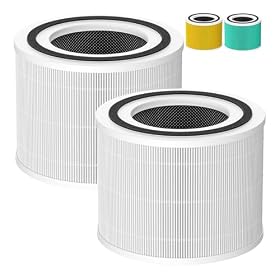
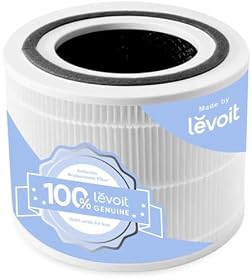
Look for a purifier that clearly identifies its particle filter rather than relying only on terms such as “advanced filtration” or “dust removal.” A washable pre-filter is useful because it catches larger dust, hair, and lint before they reach the main filter.
Activated carbon for printer odors
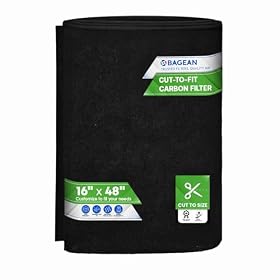
Carbon filtration can help reduce some odors and gaseous compounds. It is most useful when the purifier contains a meaningful amount of activated carbon, not merely a very thin carbon-coated mesh. Manufacturers do not always disclose the carbon weight, so avoid assuming that every “odor filter” has the same capacity.
Carbon does not make a purifier a complete solution for printer emissions. Keep the office ventilated when practical, and follow the printer manufacturer’s recommendations.
A published CADR that fits the room
CADR, or clean air delivery rate, indicates how quickly a purifier can deliver filtered air. For a small office, a compact model may be sufficient, but the purifier should still have enough capacity to circulate the room several times per hour.
When available, compare the smoke CADR because it is the most relevant of the common CADR figures for fine airborne particles. Treat a manufacturer’s maximum room-size claim as a rough marketing limit, not a guarantee of strong cleaning at a quiet setting.
A practical selection method is:
- Measure the office’s length and width.
- Multiply those dimensions to find floor area.
- Choose a purifier whose published CADR is appropriate for that area, with extra capacity if the door is usually open or the printer runs frequently.
- Make sure the purifier can operate at that capacity without being too loud for calls or focused work.
Low noise and useful speed controls
Noise matters more in an office than in a hallway or basement. Look for a true low or sleep setting, multiple fan speeds, and a display that can be dimmed or turned off. An automatic mode can be convenient, but it may not respond reliably to every printer-related pollutant, so manual speed control is valuable.
If the purifier will run during meetings, compare its published noise information at the settings you are likely to use. Maximum fan noise is less important than whether the low and medium settings provide acceptable airflow for your room.
No intentional ozone generation
Avoid ozone generators and be cautious with products that emphasize ionizers, plasma, or electrostatic features without clearly explaining emissions and controls. Ozone can irritate the lungs and is not an appropriate way to manage a home-office printer environment.
If a purifier includes an ionizer, choose a model that allows it to be fully disabled and check the manufacturer’s safety information. Mechanical filtration from a fan and filter is the simpler choice for most home offices.
Where to place the purifier
Place the purifier in the same room as the printer, with unobstructed intake and exhaust airflow. A position several feet away and to the side of the printer is generally more practical than placing it directly against the printer or directly over its exhaust.
Keep these points in mind:
- Do not block the purifier’s intake or outlet with a desk, wall, curtain, or paperwork.
- Leave the clearance specified in the purifier manual.
- Avoid placing it where printer paper, toner, or cables could obstruct airflow.
- Do not aim the purifier’s exhaust directly at your face or across loose papers.
- If possible, place the printer near practical ventilation and keep the office door or window arrangement consistent with the room’s ventilation needs.
The purifier should not be used to blow contaminants from the printer toward the rest of the room. The ideal placement depends on the airflow pattern of both devices, so observe where the printer exhausts air and position the purifier to draw room air without creating a direct blast across the workspace.
Laser printer versus inkjet printer
The printer type affects what matters most. Laser printers use heat and toner and may produce more noticeable odors or fine particles during printing. A HEPA-equipped purifier with activated carbon is the more relevant choice when a laser printer runs regularly in the office.
Inkjet printers generally produce less heat-related odor, but they can still contribute paper dust and other ordinary indoor particles. For occasional inkjet use, room-size fit, quiet operation, and low filter-maintenance cost may matter more than a large carbon stage.
If printing creates a strong or unusual odor, causes irritation, or produces visible smoke, turn off the printer, ventilate the room, and investigate the printer rather than relying on an air purifier. A damaged device, overheating component, or toner problem needs attention from the manufacturer or a qualified technician.
Filter maintenance and operating routine
Run the purifier while printing and for a period afterward if the manufacturer permits continuous operation. Higher fan speeds generally move more air, but they also increase noise and may use filters faster.
Check the pre-filter regularly and clean it only as the manual allows. Replace the main HEPA and carbon filters according to the purifier’s indicator or maintenance schedule. A clogged filter can reduce airflow and make the purifier less effective.
Filter-life indicators are estimates. If airflow drops, the purifier becomes unusually noisy, or odors return despite normal operation, inspect the filters sooner. Never wash a filter unless it is specifically labeled washable.
When a different solution is better
An air purifier is useful for airborne particles and some odors, but it is not the right answer for every printer concern. Consider these alternatives or additions:
- Move a frequently used laser printer out of a small office if another well-ventilated location is available.
- Improve room ventilation when outdoor conditions and building systems allow it.
- Keep the printer maintained and use the correct toner and paper specified by its manufacturer.
- Replace a purifier if its replacement filters are unavailable, disproportionately expensive, or no longer fit securely.
- Choose a larger purifier if the room has an open doorway, high ceilings, or frequent printing that overwhelms a small unit.
Bottom line
For a home office next to a printer, prioritize a properly sized purifier with a published smoke CADR, HEPA or equivalent particle filtration, a substantial carbon stage when odors matter, and quiet controls. Place it near—but not directly against—the printer, maintain its filters, and avoid ozone-producing features. Ventilation and a properly maintained printer remain important, particularly when using a laser printer frequently.