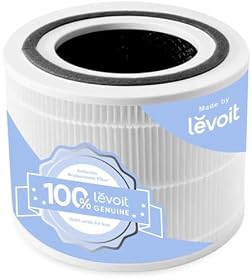
Air purifier filter light will not reset
If your air purifier’s filter light stays on after you clean or replace the filter, the filter may not be seated correctly, the housing cover may not be fully closed, or the purifier may require a specific reset-button sequence. Unplug the unit before inspecting the filter, and follow the owner’s manual because reset procedures vary by model.
Try these steps in order
1. Confirm whether the filter needs replacement
A filter light is usually a timer or maintenance reminder. It often does not measure the filter’s actual condition, so cleaning the filter may not clear the light if the replacement interval has expired.
Check the filter for:
- A heavily gray or dark particle layer
- A musty or unusual odor
- Visible damage, moisture, or mold-like growth
- A carbon layer that is saturated or no longer controlling odors
- A filter that has reached the replacement interval listed by the manufacturer
Do not wash a HEPA or carbon filter unless the manufacturer specifically says it is washable. Washing can damage the filter media and reduce performance. A washable pre-filter is different from the main HEPA or carbon cartridge.
If the filter is due for replacement, install the exact compatible replacement specified for your purifier. A generic filter with the wrong shape, thickness, or identification feature may prevent the cover from closing or the filter reminder from clearing.
2. Check for packaging and correct filter orientation
If the filter is new, remove all plastic wrapping, cardboard, and protective film before installation. Leaving the filter sealed inside its shipping bag can restrict airflow and may cause the purifier to behave incorrectly.
Then check that:
- The airflow arrow points in the direction shown in the manual
- The filter is fully inserted into its track or housing
- Any pull tab or handle is facing the correct direction
- The filter frame is not bent or obstructed
- The filter is the correct type and size for the purifier
Some units use separate pre-filters, HEPA filters, and carbon filters. Install each part in the specified order rather than treating them as interchangeable.
3. Clean the pre-filter and air path
A clogged pre-filter can make the purifier work harder and may cause a maintenance warning to remain active. With the unit unplugged, remove loose dust from a washable pre-filter according to the manual. Let a washed pre-filter dry completely before reinstalling it.
Also check the air intake and outlet for:
- Dust buildup
- Pet hair
- Lint
- Curtains or furniture blocking the intake
- Objects resting against the outlet
Do not insert tools or fingers into the fan area. If internal dust buildup is significant, use only the cleaning method approved by the manufacturer.
4. Reinstall the filter and secure the cover
Many air purifiers will not recognize a completed filter change unless the filter door, rear grille, or bottom cover is fully latched. Remove and reinstall the filter, then press the cover firmly into place without forcing it.
Inspect the cover and its clips for cracks or warping. Make sure no filter material, dust, or debris is caught around the edge. Even a small gap can prevent a door switch or interlock from engaging.
5. Perform the correct filter reset
The reset control may be labeled Filter Reset, Reset, Replace Filter, or represented by a filter icon. Common procedures include:
- Plug in the purifier and turn it on.
- Press and hold the filter or reset button for several seconds.
- Release it when the light changes, flashes, or the unit beeps.
- Turn the purifier off and back on to confirm the reminder cleared.
Some models require holding two buttons together, resetting through a companion app, or performing the reset while the purifier is powered but not running. Do not guess at a long button sequence if the manual specifies a different procedure.
If the control is touch-sensitive, keep your finger on the marked area rather than repeatedly tapping it. A control lock or child lock may also prevent the reset from registering.
6. Power-cycle the purifier
If the filter is installed correctly and the documented reset sequence does not work, turn the purifier off and unplug it. Leave it disconnected for several minutes, then reconnect it and repeat the manufacturer’s reset procedure.
Avoid repeatedly unplugging and reconnecting the unit in rapid succession. If the purifier has an app, check whether it shows a pending filter replacement, offline status, or firmware-related message before trying the reset again.
7. Check the app or filter identification system
Some connected purifiers track filter life in an app rather than relying only on the button on the unit. The app may need to be updated, reconnected to the purifier, or used to confirm that a new filter was installed.
Certain models may also use a filter chip, tag, barcode, or other identification system. If the replacement filter lacks the required identifier or is not recognized by the purifier, the light may remain on even when the physical filter fits.
Use a replacement cartridge listed as compatible with the exact purifier model. Do not assume that filters with similar dimensions will reset the reminder.